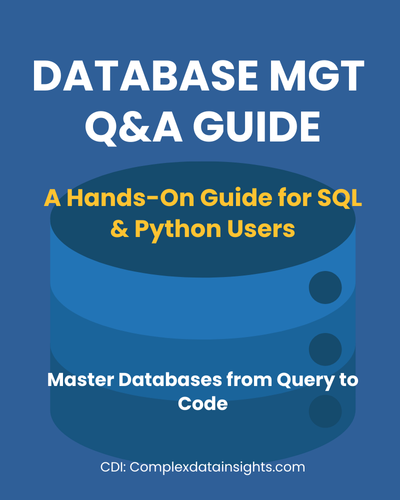
CDI Database Management
I PREFACE
📘 Welcome to CDI – Database Management
Why Database Management in CDI?
🎯 Who this guide is for
🛠 What you’ll learn
🧭 How to use this guide
II DATABASE MGT Q&A
1
How do you install and run MySQL locally using XAMPP?
1.1
Explanation
1.2
Prerequisites
1.3
🔑 Accessing MySQL/MariaDB in XAMPP (macOS)
1.3.1
📌 Option 1: phpMyAdmin (GUI)
1.3.2
💻 Option 2: MySQL/MariaDB Command Line (CLI)
1.4
✅ Learning Outcome
1.5
🧠 Takeaway
2
🧭 How do you navigate inside MySQL/MariaDB?
2.1
Explanation
2.2
SQL/MySQL Code
2.3
Example usage inside the MariaDB prompt
2.4
🛠️ (Optional) Add MySQL to Your PATH
2.5
🚪 Exiting the MySQL Shell
2.6
✅ Learning Outcome
2.7
🧠 Takeaway
3
🐍 How do you connect Python to MySQL/MariaDB?
3.1
Explanation
3.2
Python Code (Using mysql-connector-python)
3.3
✅ Learning Outcome
3.4
🧠 Takeaway
4
How do you query data from a MySQL database?
4.1
Explanation
4.2
SQL/MySQL Code
4.3
Python Code (Querying MySQL via mysql-connector-python)
4.4
✅ Learning Outcome
4.5
🧠 Takeaway
5
How do you export and visualize database query results?
5.1
Explanation
5.2
SQL/MySQL Code
5.3
Python Code (Export + Visualization)
5.4
📌 Notes for Learners
5.5
Switching to SQLAlchemy + PyMySQL
5.6
✅ Learning Outcome
5.7
🧠 Takeaway
6
🌍 How do you work with real-world data in SQL?
6.1
Explanation
6.2
Example Dataset (CSV)
6.3
SQL/MySQL Code
6.4
Python Code (pandas + matplotlib)
6.5
Students per course (counts)
6.6
Grade distribution per course (counts and proportions)
6.7
A-grade ratio per course
6.8
Export results
6.9
✅ Learning Outcome
6.10
🧠 Takeaway
7
Challenge Yourself
7.1
Multi-course students
7.2
Top-performing course
7.3
Grade distribution for one student
7.4
Export to CSV
Explore More Guides
Database Management Q&A
Database Management Q&A
Last updated: August 28, 2025